

Point Cloud to Mesh Heat Map
Users can run a Heat Map analytic between the point cloud and either the PointFuse generated 3D model or an independently uploaded 3D model.
- Select the PC/Mesh Heat Map button.

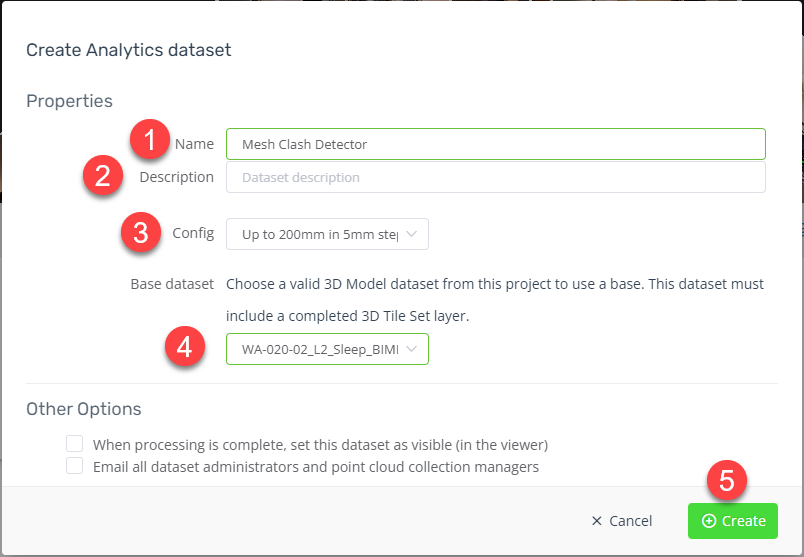
- Under the Create Analytics datasetwindow:
- Update the name (optional).
- Add a description (optional).
- Select the applicable Config from the available list (the config is a combination of the maximum 3D distance for comparison and the intervals within the maximum distance that differences are calculated).
- Select the Base dataset (3D model).
- Select Create.
- Once the processing is complete the user will receive a confirmation email that the comparison is available in the 3D Viewer.
- From the Datasets list (left-hand side of Viewer) toggle on (if needed) the Heat Map layer.
- This will activate the Mesh Clash Detection toolbox.
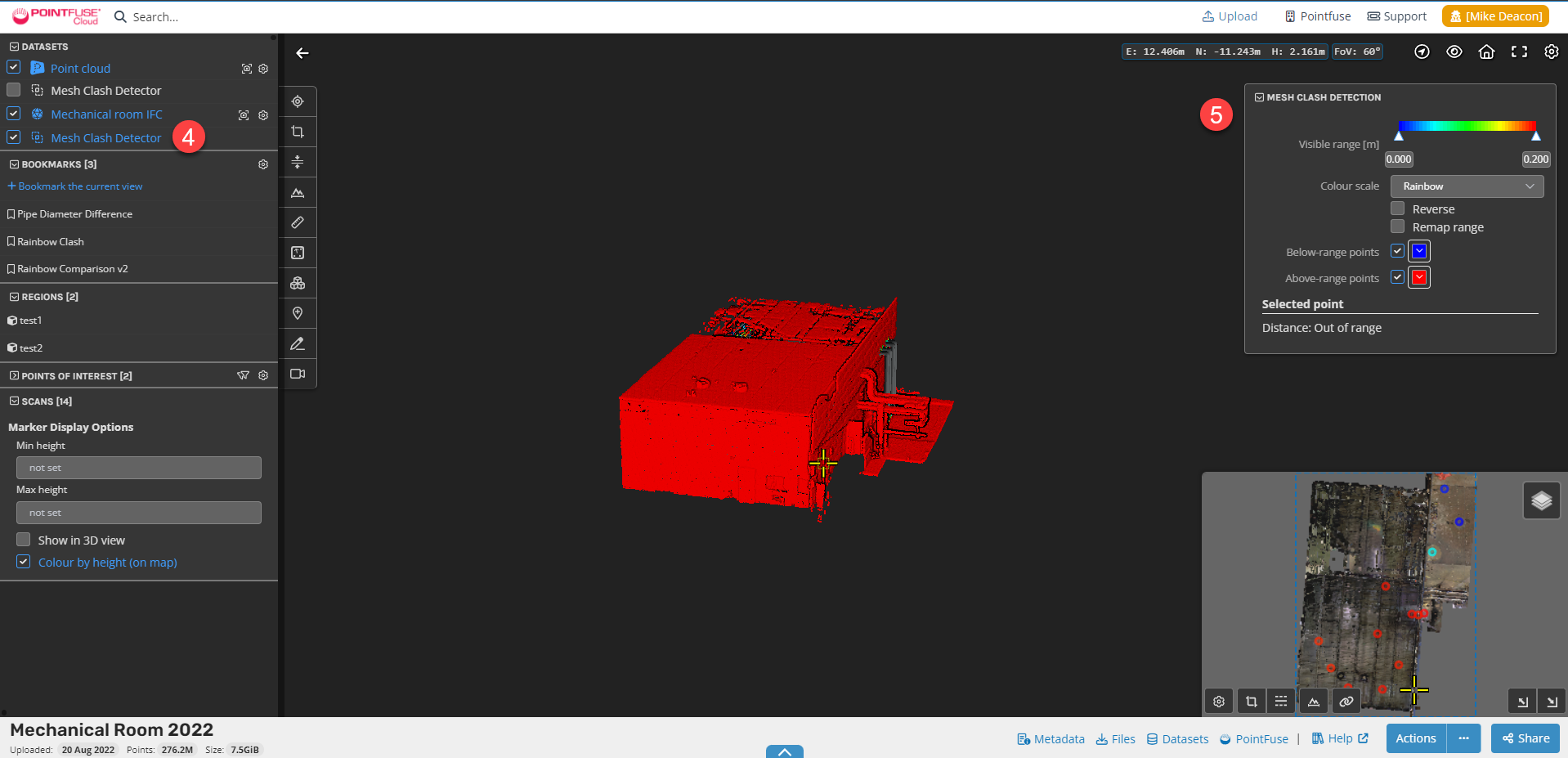
- Users can toggle:
- the visible range (using the slider)
- change the colour scale
- reverse and remap the colour range
- Toggle on/off the below and above range points (points not considered in the comparison).
The Mesh Clash Detection analytic provides users an ability to compare 3D models (e.g. as-designed) against a point cloud (e.g. as-constructed or construction-in-progress) to identify differences or non-conformance. The differences or non-conformance can be identified using the POI or annotation tools.