

Set up Classification - for Classified Mesh Model
The dialog highlights the Building level.
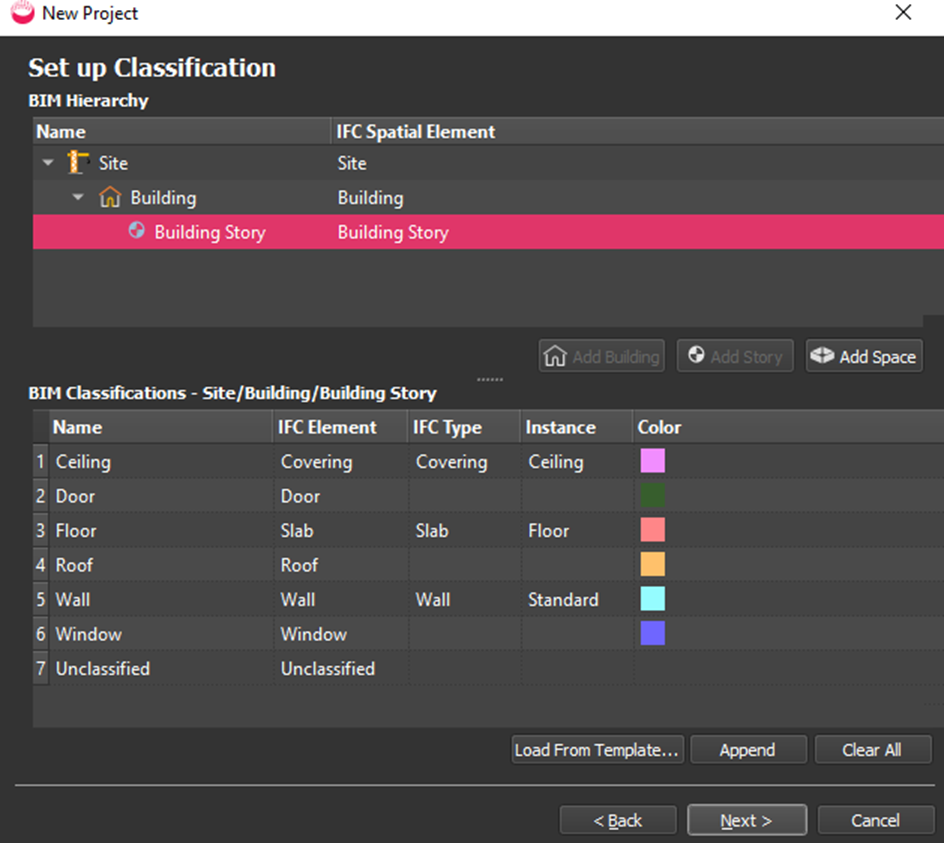
Select the Building Story to see or amend the BIM Classifications:
Optional:
Create the site hierarchy, with one story for each different floor elevation. For example, click a Building and select Add Story.
To choose a different classification template, select a story and then select Load from Template.
- In the Template Selector dialog, select a template, optionally edit it, and click OK to return to the main wizard.
Click Next or Finish, depending which workflow option you chose.