

Uploading a "ReCap project" point cloud data
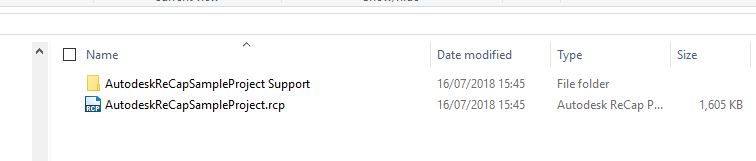
Recap projects consist of an RCP file plus a support folder. The support folder will have the same name as the RCP file, with "Support" appended, as shown below.
To upload new point cloud data click the Green Upload button in the upper right of the window or navigate to the Upload data tab in your Company page.
When uploading a ReCap project to Pointerra, you must upload both the RCP file and the support folder. To do this, select the "Add Folder" option when using the upload page
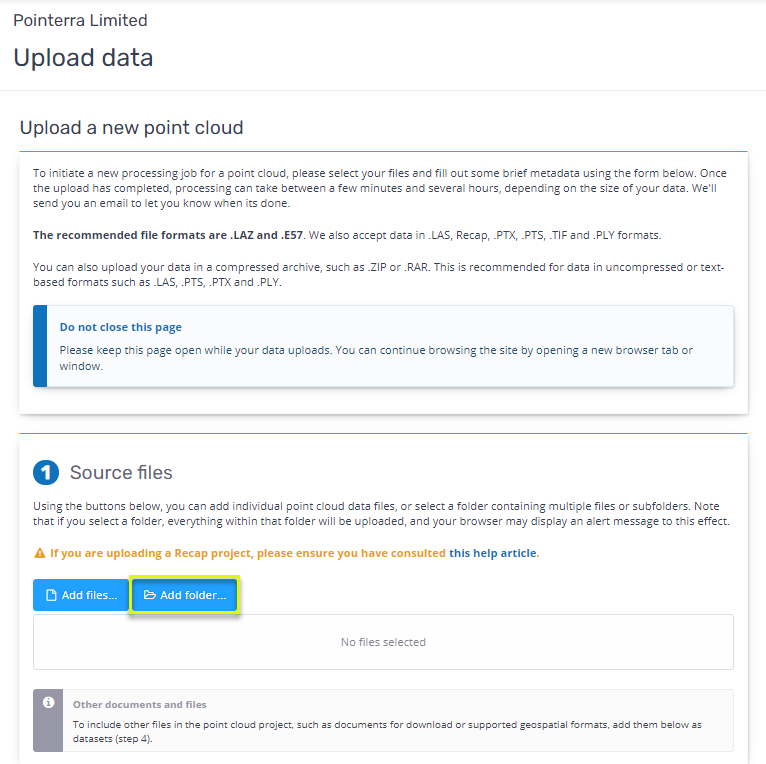
Then go ahead and select the folder that contains both the RCP file and the Support folder. Once the folder has been selected, the rest of the upload process is the same as for other file formats. For more help on the rest of the uploading process, click here.
Note - it is strongly recommended that you do not have the ReCap project open in ReCap desktop software while uploading. Some of the temporary/cache files may be in an inconsistent state if they are being actively used. This could result in an error when processing the data in Pointerra.